
MongoDB SSH
MongoDB is a NoSQL database that stores JSON-like documents.
Connection Properties
The config section in a YAML file includes the following properties:
connectorname: MongoDBSSH
    config:
      connection_url: mongodb://dbuser:passwd@host:port
      database: databasename
      ssh_host: ssh_hostname
      ssh_port: ssh_port
      ssh_user: ssh_username
      ssh_private_key_path: privatekey
    select:
      - tablename
Here are the typical ways to configure MongoDB and their connection URLs:
Typical Ways to Configure MongoDB and Their Connection URLs
| Name | Description | Connection URL Example | SSH Considerations |
|---|---|---|---|
| Local Installation | Install on Windows, macOS, Linux using official packages. |
mongodb://dbuser:passwd@host.or.ip:27017 |
Not needed if local |
| Docker | Deploy using the MongoDB Docker image. | mongodb://dbuser:passwd@docker.host:27017 |
Use SSH to access a remote Docker host |
| MongoDB Atlas | MongoDB’s managed service on AWS, Azure, and Google Cloud. | mongodb+srv://dbuser:passwd@cluster.mongodb.net |
SSH is not required (TLS used) |
| Managed Cloud | AWS DocumentDB, Azure Cosmos DB, and others offer MongoDB as a managed database. |
mongodb://dbuser:passwd@managed.cloud:27017 |
Typically accessed via VPC; SSH if required |
| Configuration Tools | Use Ansible, Chef, or Puppet for automated setup and configuration. |
mongodb://dbuser:passwd@config.tool:27017 |
SSH may be required for remote execution |
| Replica Set | Set up for high availability with data replication across multiple MongoDB instances. | mongodb://dbuser:passwd@replica.set:27017 |
SSH needed for secure remote access |
| Sharded Cluster | Scalable distribution of datasets across multiple MongoDB instances. | mongodb://dbuser:passwd@shard.cluster:27017 |
SSH needed for secure remote access |
| Kubernetes | Deploy on Kubernetes using Helm charts or operators. | mongodb://dbuser:passwd@k8s.cluster:27017 |
Use kubectl port-forward or SSH to cluster nodes |
| Manual Tarball | Install directly from the official MongoDB tarball, typically on Linux. | mongodb://dbuser:passwd@tarball.host:27017 |
SSH typically required for remote servers |
Configure the smartlife Data Hub to connect MongoDB via SSH
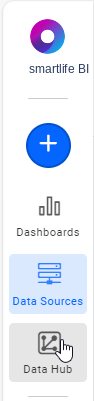
- Click the
Data Hubicon on the Navigation Pane.
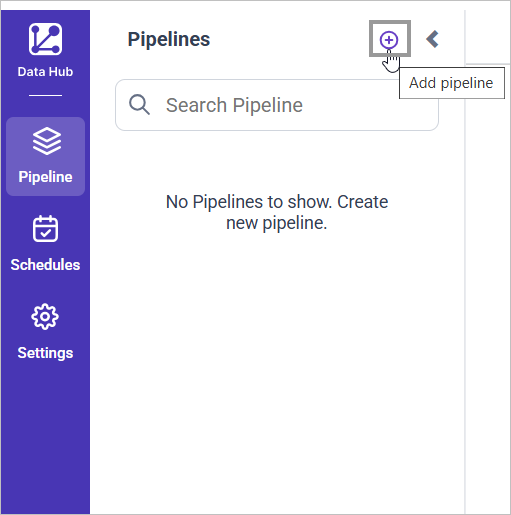
- Click
Add Pipelineand provide the new pipeline’s name.
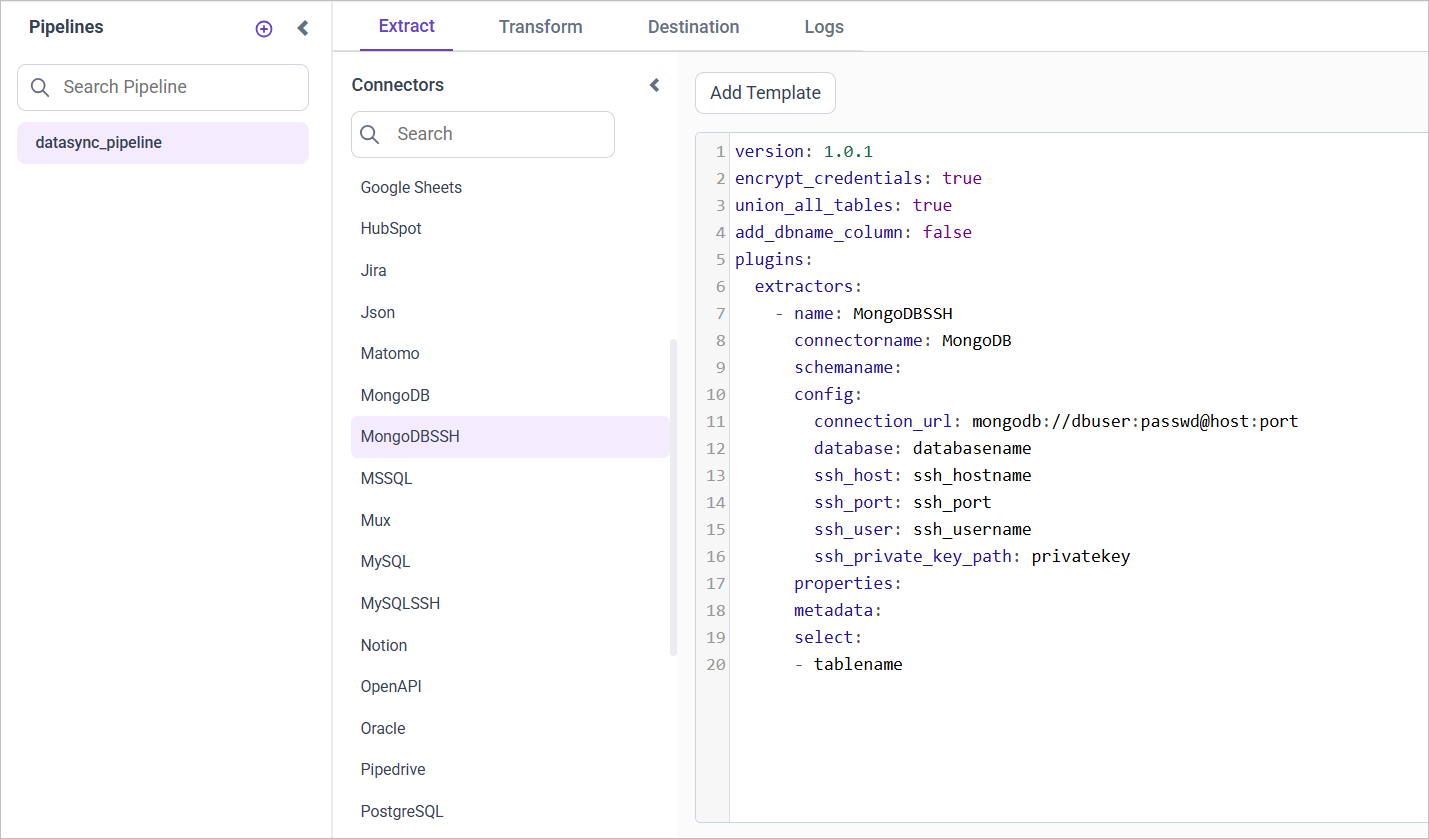
- Select the newly created pipeline and add the
MongoDBSSHtemplate.
Configuration Parameters
| Parameters | Description |
|---|---|
| Name: | MongoDBSSH |
| Connector Name: | MongoDBSSH |
| Connection URL: | Specify the connection URL for the MongoDB server in the format mongodb://dbuser:passwd@host:port. |
| Database: | Specify the name of the MongoDB database from which data will be extracted. |
| Select: | Tablename(s): Specify the table name list to load tables from the MongoDB server. |
| SSH Host: | Specify the SSH hostname for connecting to the MongoDB server. |
| SSH Port: | Specify the SSH port number. |
| SSH User: | Specify the SSH username. |
| SSH Private Key: | Specify the path to the SSH private key file for authentication. |
Note: MongoDBSSH doesn’t support Incremental or Full Table Refresh
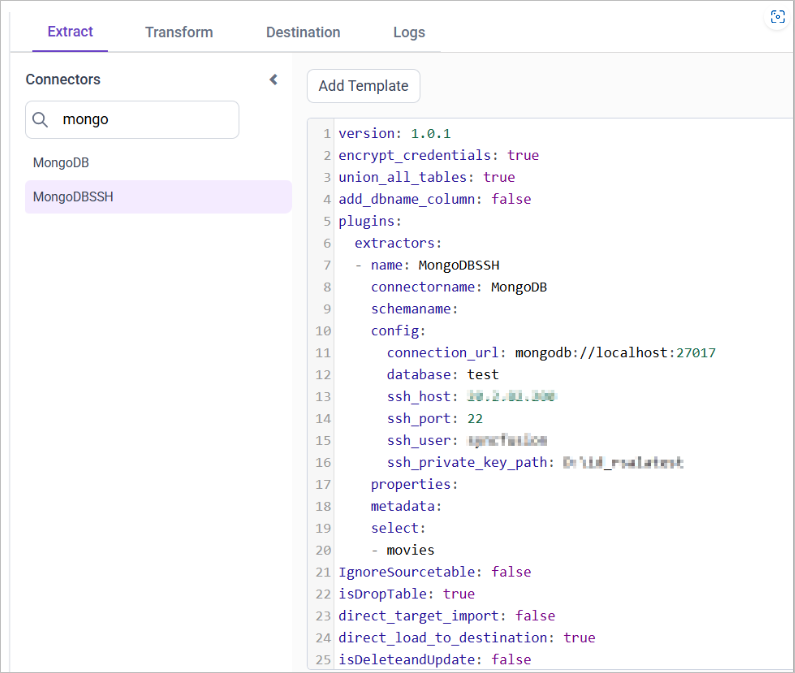
- Update the details required in the template and Click Save, choose the desired destination to save the pipeline.
- Creating a Pipeline in smartlife Data Hub automatically creates a Data Source in smartlife BI. The smartlife BI Data Source is a live data source to the destination database used in smartlife Data Hub. For more information on the relationship between smartlife Data Hub Pipeline and the associated Data Sources in smartlife BI , please refer to [Relationship between smartlife Data Hub Pipeline and Associated Data Sources in smartlife BI]
Schedule smartlife Data Hub Job
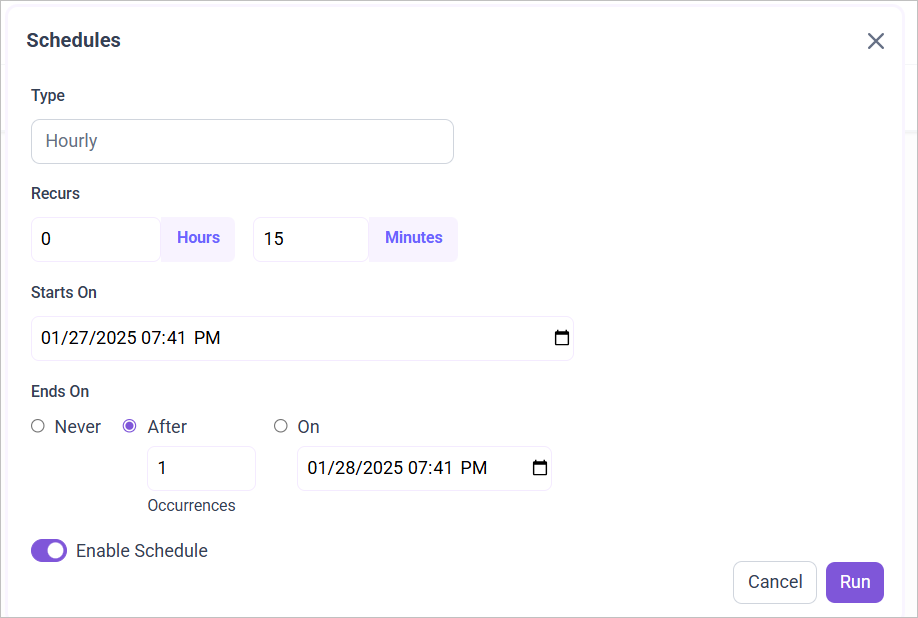
- To configure interval-based scheduling, click on the schedules tab and select the created pipeline and click on the schedule icon and configure it.

- For on-demand refresh, click
Run Nowbutton.
 .
- The Schedule history can be checked using the history option as well as logs.
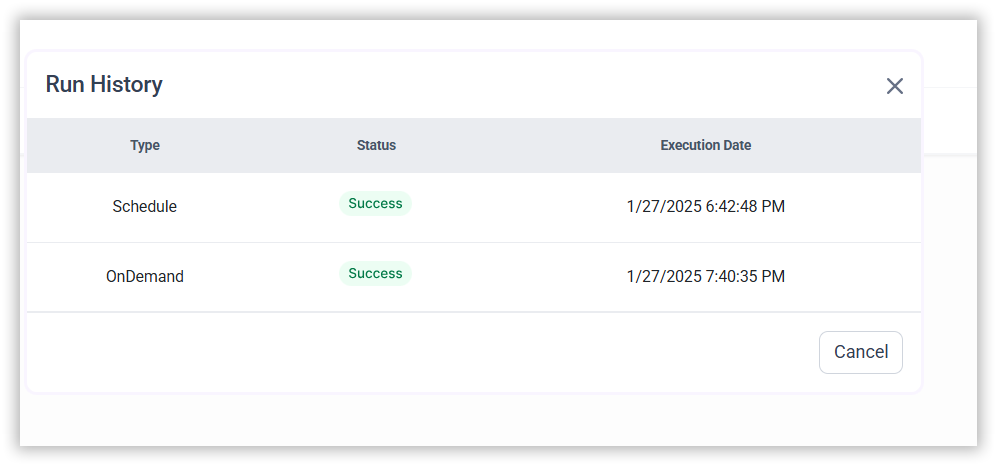
- Click on Logs to see if the run is completed and data source is created in smartlife BI.

- Click
Edit DataSourceOption to view the created tables.
Note: isdatapersist and previous_intervalmin are not applicable in mongodb.
Example Configuration
version: 1
encrypt_credentials: false
plugins:
  extractors:
    - name: MongoDBSSH
      connectorname: MongoDBSSH
      config:
        connection_url: mongodb://dbuser:passwd@host:port
        database: databasename
        ssh_host: ssh_hostname
        ssh_port: ssh_port
        ssh_user: ssh_username
        ssh_private_key_path: privatekey
      select:
        - tablename
Related Links
Extract Data from MongoDBSSH using query in smartlife Data Hub
Flatten MongoDBSSH objects in smartlife BI using smartlife Data Hub
Connect MongoDB with SSH Tunneling and Passwordless using in smartlife Data Hub